FamilyBridge
  • Features
  • Pricing
  • FAQ
  • Features
  • Pricing
  • FAQ
LoginSign UpGet Started
FamilyBridge

Court-compliant visitation management for professionals nationwide

Product

  • Features
  • Pricing
  • Get Started

Support

  • FAQ
  • Contact Us

Legal

  • Terms of Service
  • Privacy Policy
  • Cookie Policy
© 2026 Overman Labs LLC. FamilyBridge is a trademark of Overman Labs LLC. All Rights Reserved.
Supervised Visitation Software

Run Your Supervised Visitation Practice
Without the Chaos

Manage visits, reports, scheduling, and payments in one place—so you can spend less time on paperwork and more time on families.

Get Started
Set up your practice in minutes·Built by a professional monitor·No complicated setup

Start setting up your practice today—no commitment required.

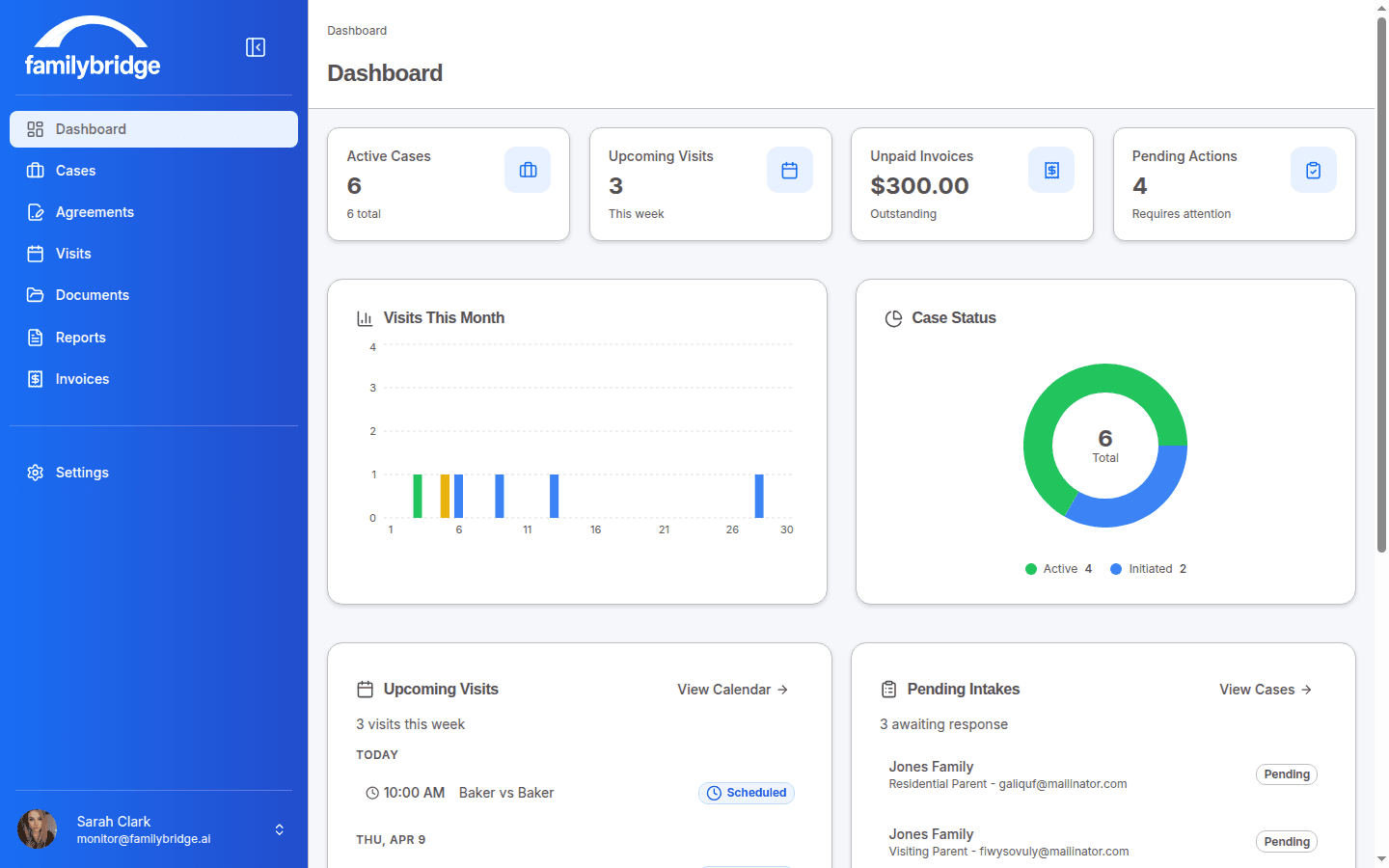
FamilyBridge Monitor Dashboard — Desktop
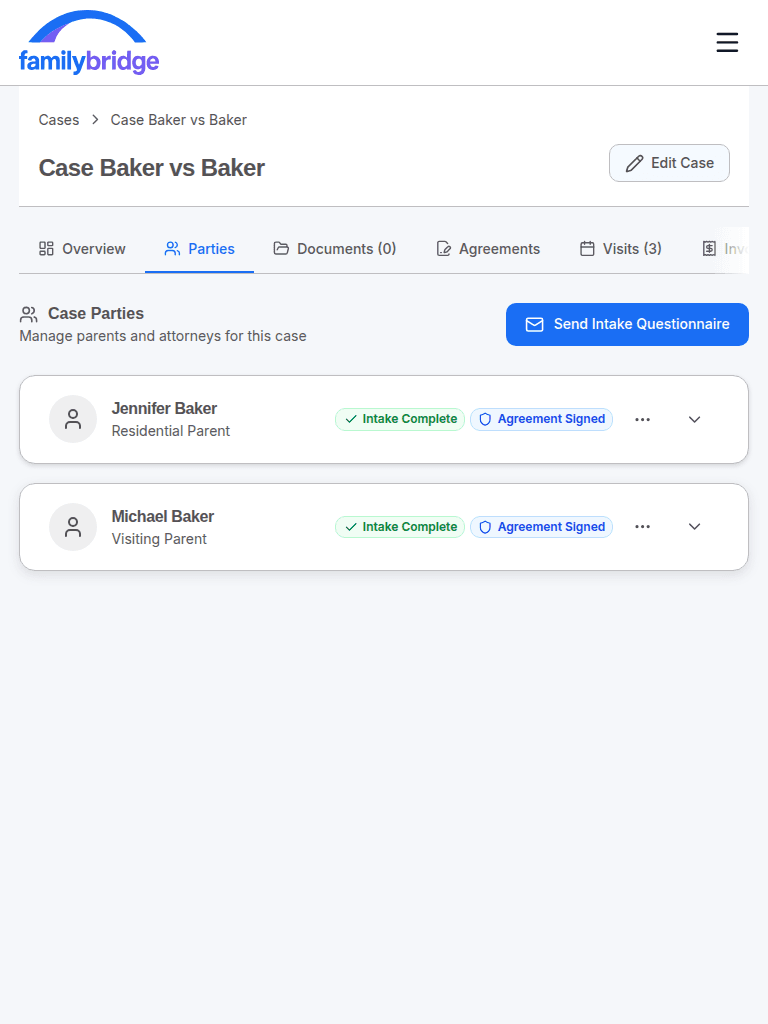
FamilyBridge Case Parties — Tablet
FamilyBridge Visit Notes — Mobile
Court-CompliantField-Tested During Live VisitsHTTPS EncryptedStripe-Secured Payments·Court-CompliantField-Tested During Live VisitsHTTPS EncryptedStripe-Secured Payments·Court-CompliantField-Tested During Live VisitsHTTPS EncryptedStripe-Secured Payments·Court-CompliantField-Tested During Live VisitsHTTPS EncryptedStripe-Secured Payments·

Everything you need to manage supervised visitation

From intake to invoicing, FamilyBridge streamlines every step of your supervised visitation workflow.

Case Management

Every case in one place. Track parties, court orders, visit history, documents, agreements, invoices, and reports — all from a single case view with organized tabs. A built-in Case Readiness Checklist guides you through setup so nothing falls through the cracks.

Case Management screenshot

AI-Powered Reports

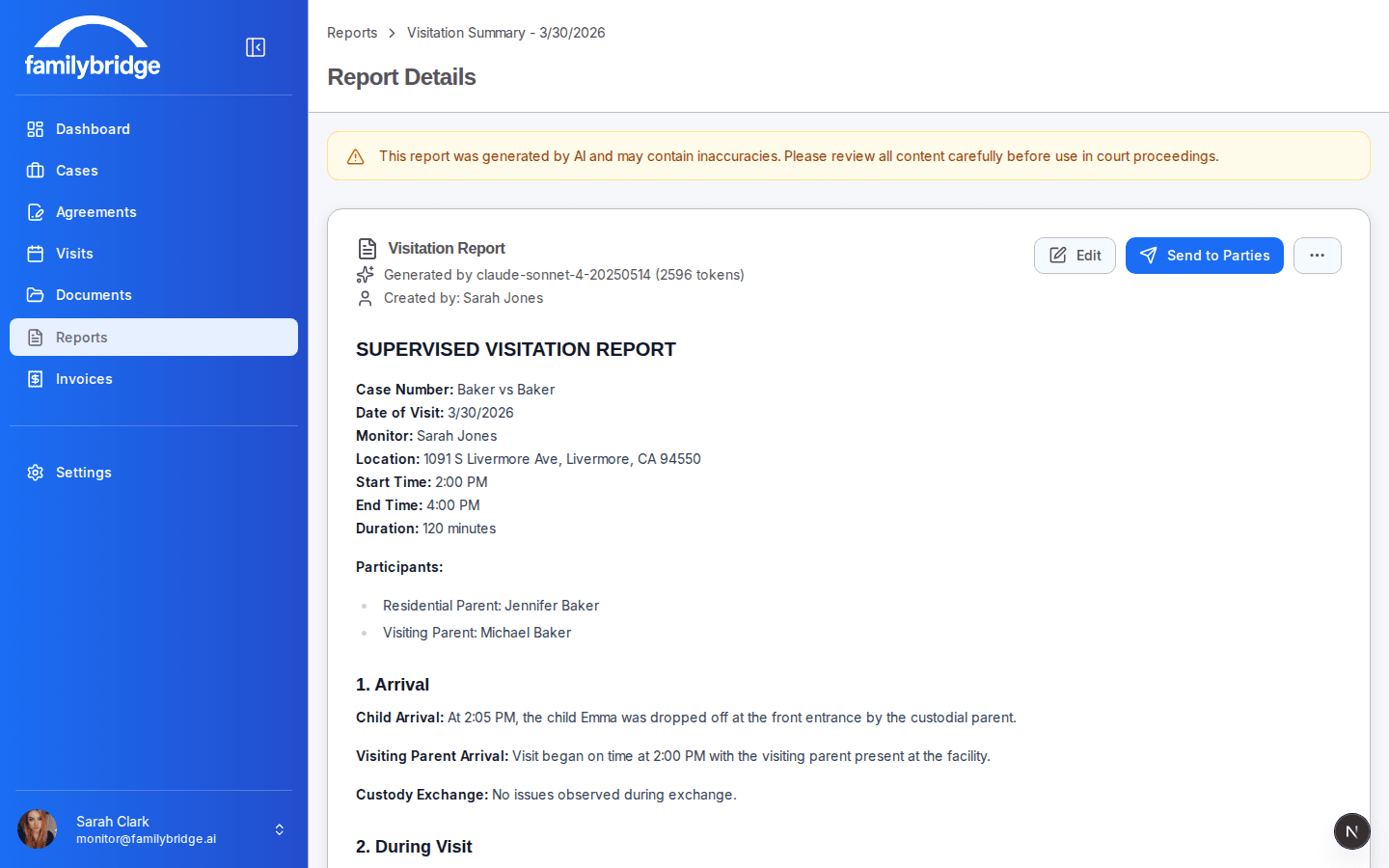
Turn hours of visit notes into a professional, court-ready report in seconds. Before anything reaches the AI, all personally identifiable information is automatically redacted and replaced with placeholders — then restored with real names and details when the report comes back. Review, edit, finalize, and distribute as polished PDFs to attorneys, courts, and case parties.

AI-Powered Reports screenshot

Visit Scheduling

Schedule visits across multiple cases and locations. Toggle between list and calendar views. Filter by status. Track scheduled, in-progress, completed, cancelled, and no-show visits. Automated reminders with calendar attachments keep parents on time.

Visit Scheduling screenshot

Real-Time Note-Taking

Document interactions as they happen with six categorized note types: Parent→Child, Child→Parent, Positive, Redirect, Noncompliance, and Escalation. Each category includes a guided prompt so you capture what courts need to see — even in high-stress moments. Every note is timestamped and synced in real time.

Real-Time Note-Taking screenshot

Digital Intake

Send intake questionnaires to parents with one click. They fill out contact details, custody information, and safety concerns from their phone or computer. Responses flow directly into the case file — no retyping, no paper forms, no chasing people down.

Digital Intake screenshot

Service Agreements

Create reusable agreement templates, send them to parents for e-signing, and track signing status in real time. Fully executed agreements are stored in the case file automatically. Included in every plan — not locked behind an enterprise tier.

Service Agreements screenshot

Invoicing & Payments

Create itemized invoices, send payment requests by email, and accept secure payments via Stripe. Track paid, outstanding, and overdue balances from your dashboard. Payments go directly to your bank account through Stripe Connect — no middleman.

Invoicing & Payments screenshot

Mobile-Ready for Field Work

FamilyBridge works on your phone, tablet, and desktop. No app to download — open it in your browser and start working. Install it on your home screen for instant access, just like a native app. Designed and field-tested during real supervised visits by a real monitor.

Mobile-Ready for Field Work screenshot

Why Monitors Choose FamilyBridge

Purpose-built tools that reduce administrative work and keep every visit documented, organized, and professional.

Feature
RecommendedFamilyBridge
Other Tools
Flat pricing (no per-seat fees)
$99/month
$50+/seat
Digital signatures included
Every plan
Enterprise only
6 note categories with prompts
3 categories
AI court report generation
Case readiness checklist
Safe arrival coordination
Stripe direct payments
Varies
Data export for court filings
Works on mobile browser
Field-tested
Built by an active monitor
Total monthly cost$99flat$200+ typical

How It Works

Getting started with FamilyBridge is simple.

1

Sign Up

Create your account in under 2 minutes. No contracts, no setup fees. Explore the full platform free.

2

Set Up Your Practice

Connect your Stripe account, create your agreement templates, and start building cases.

3

Start Monitoring

Create cases, send intake forms, schedule visits, document in real time, generate court reports, and invoice — all in one place.

Supervised visitation monitor reviewing case documentation at a desk

Built by a Monitor Who Uses It Every Day

Running a supervised visitation practice shouldn't feel like duct-taping your workday together.

I've spent years working as a supervised visitation monitor—and like most people in this field, I was juggling everything across different tools, notes, and systems that never quite fit the job.

Every visit meant more paperwork. More duplication. More time spent managing logistics instead of focusing on families.

So I built something better.

FamilyBridge is designed around the actual day-to-day work of a monitor—so everything you need is in one place, and nothing feels like an afterthought.

“I built this because I was tired of duct-taping my practice together.”

— Founder, FamilyBridge

Everything you need to run your practice

One plan. Every feature. No per-seat fees, no feature gates. Subscribe when you're ready.

Best Value

Professional Plan

$99/month
No contracts·Cancel anytime·Set up in minutes
Manage unlimited clients and cases
Generate detailed court reports in minutes
Keep all visit documentation in one place
Track visits, notes, and agreements effortlessly
Send invoices and accept payments online
Digital intake and e-signatures included
Real-time categorized note-taking
Automated case readiness checklist

Replaces multiple tools for scheduling, reporting, and billing.

Explore free. Subscribe when you're ready.

Frequently asked questions

Everything you need to know about FamilyBridge.

$99/month, flat. No per-seat charges, no feature tiers. Every feature is included for every subscriber. Sign up free to explore — subscribe when you're ready to create cases and generate AI reports.

We take security seriously. All data is encrypted in transit and at rest using industry-standard encryption. Our platform is built on Supabase with row-level security policies ensuring users can only access data they are authorized to see.

Yes. Sign up free and explore the full platform — browse the dashboard, see how cases are organized, check out the features. When you're ready to create cases and generate AI reports, subscribe for $99/month. No credit card needed to explore.

Yes, all Professional plans include email support. We are committed to helping you succeed with the platform and are responsive to questions and feedback.

Yes! FamilyBridge generates professional visitation reports that can be submitted to courts. Our AI-assisted report generation helps you create detailed, accurate documentation of supervised visits.

FamilyBridge uses Stripe Connect to process payments from families directly to your account. You can create and send invoices, and families can pay online. We charge a 2.5% platform fee on processed payments.

Still have questions? Contact us at support@familybridge.ai

Stop Duct-Taping Your Practice Together

You didn't become a monitor to fight with spreadsheets. FamilyBridge gives you one professional platform for your entire workflow — so you can spend more time with families and less time on admin.

Explore free. Subscribe when you're ready. Cancel anytime.